
Built for WoW Forever
v0.9.47 liveAll 12 professionsWhat's new
- 40,000 downloads on CurseForge: thank you for making it happenThank you
- Market and disenchanting: out of betaNew in 0.9.46
- Smoother lists: no stutter while scrolling, and every Skinning Knife and Mining Pick countsNew in 0.9.45
- Recipe colors: hover a recipe to see where it turns yellow, green and grayNew in 0.9.41
Every tradeskill.
One suite.
ForeverArtisan finds the cheapest, fastest and most profitable way to level every tradeskill you pick. Set a target skill and it plans each craft, prices the shopping list from the Auction House, and ranks your recipes by cost per skill point and by profit after the AH cut. Gatherers see which herbs, veins and mobs still give skill-ups. It learns from where you've been to help you get where you're going.
Free, no ads, no trackers. Other ways to install · See the features
- Available now
- 12 of 12professions, plus Camping
- Your data
- Localon your PC, never uploaded
- Launch
- Nov 4WoW Forever release day
- Modular
- 1 to 12load only the trades you play
Built for WoW Forever. ForeverArtisan was written for Forever (1.60.1), not carried over from an older version of the game. Camping, the new campfires and controller fishing are here because Forever has them. I test every release on the Forever beta, and updates come every few days.
Leveling guides for all 12 professions
Free 1-300 guides for every WoW Forever profession: what to make or gather at each skill, the materials, and what Forever changed. Built from Forever's game data and checked on the Forever beta.
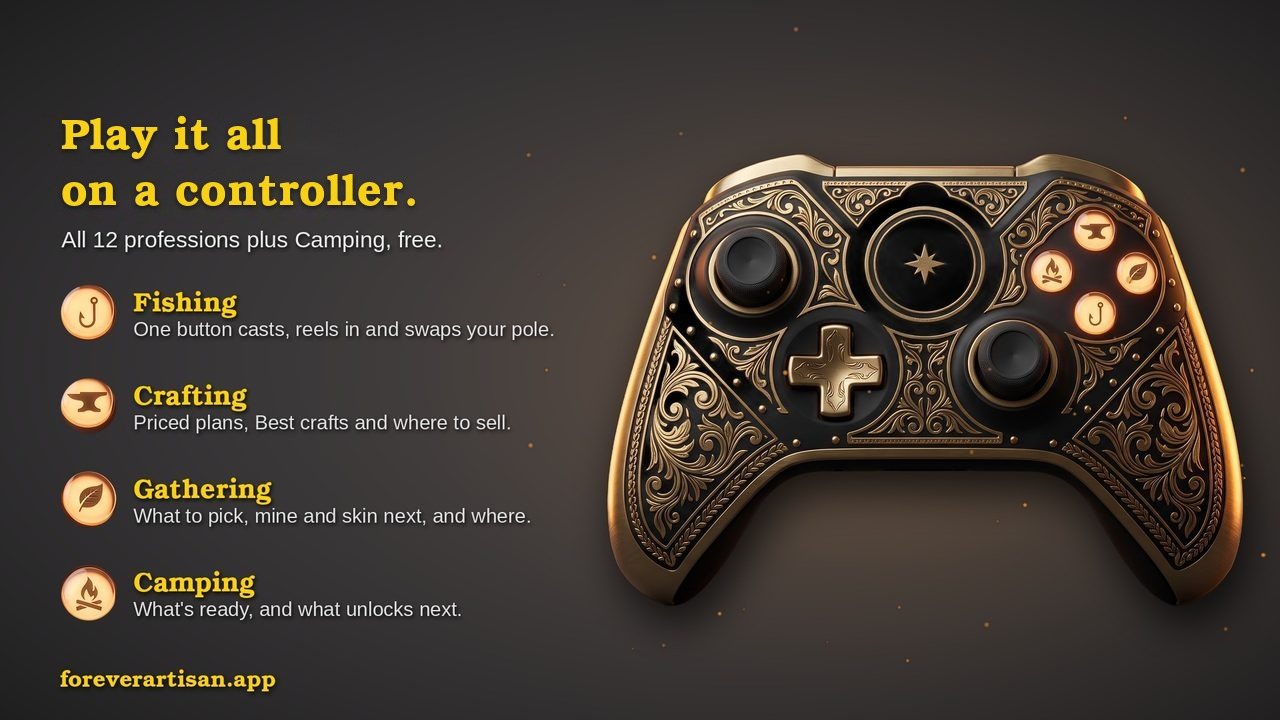
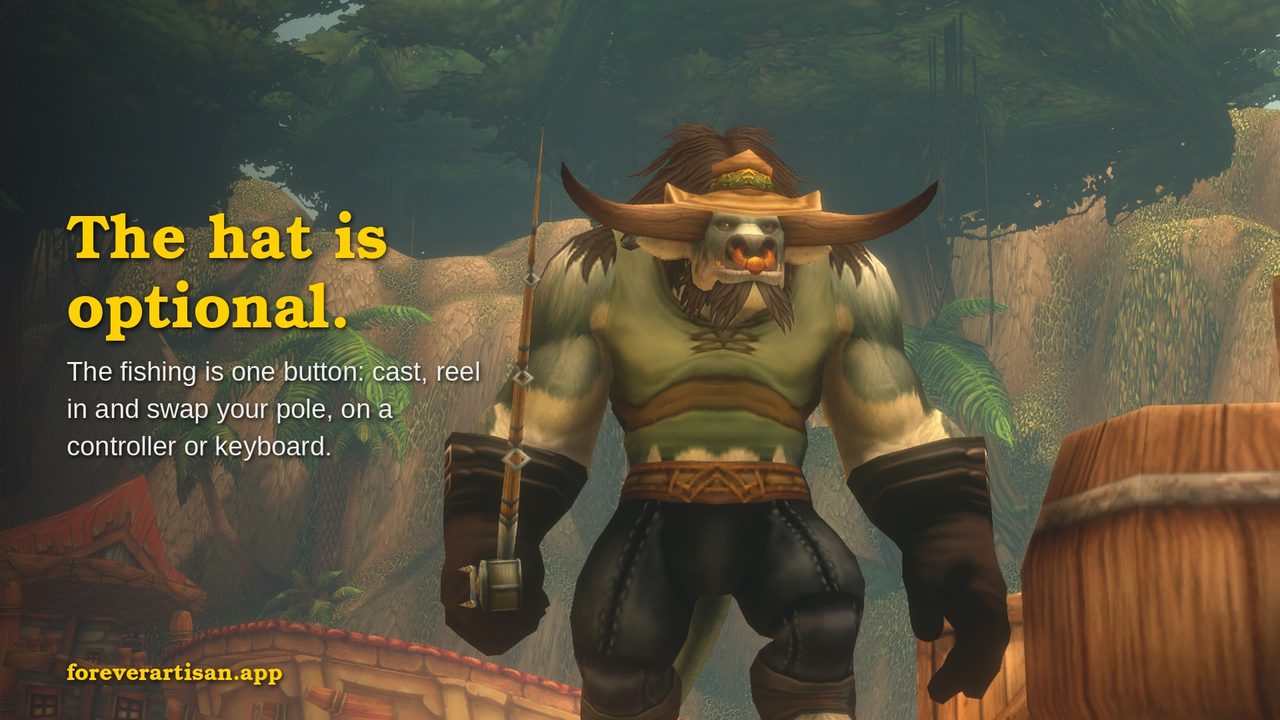
Fishing on a controller
One button casts, puts a lure on, reels in on the splash, and swaps your pole for your weapons when a fight starts.
It works with or without the game's Gamepad UI (Alpha), and it's tested on PlayStation 5 and Xbox-style controllers. No aiming: it uses the game's own soft targeting, and every action is one button press by you.
Set up controller fishing Controller tips in the Fishing guide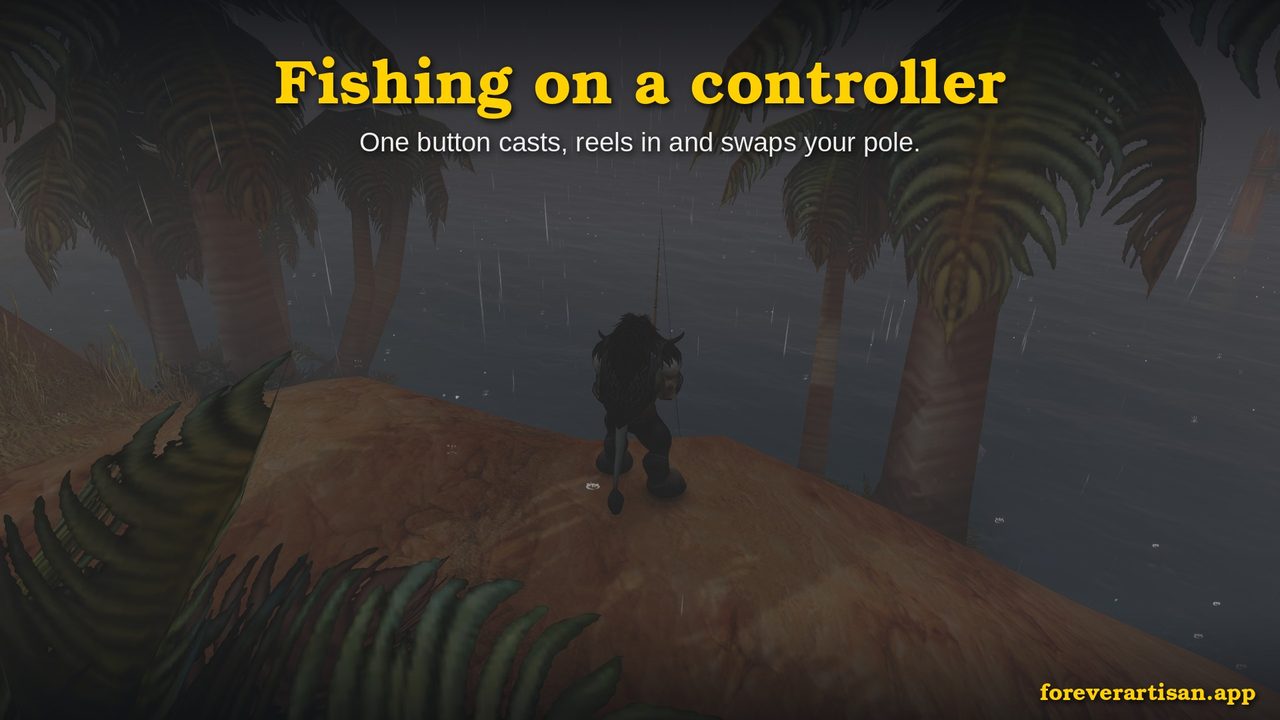
Your most profitable crafts, with price trends
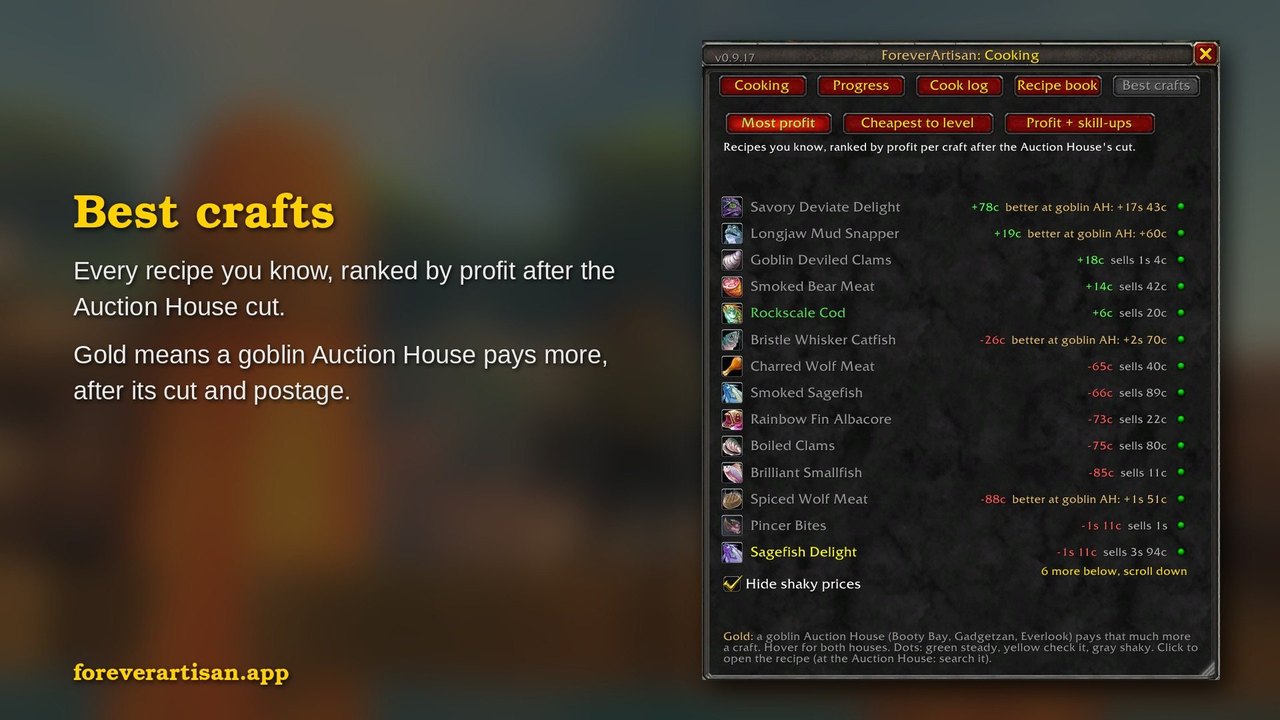
Every recipe you know, in every profession, in one list by profit. Click any craft for a 14-day price chart, line or bars, and see whether it's trending up or down, along with each of its materials.
A Best crafts tab in every crafting window ranks one profession's recipes by profit after the Auction House cut, by the cheapest way to level, or both. Hover a recipe to see where to sell it: your own Auction House or a goblin one, after each cut and the postage.
How Market works How Best crafts works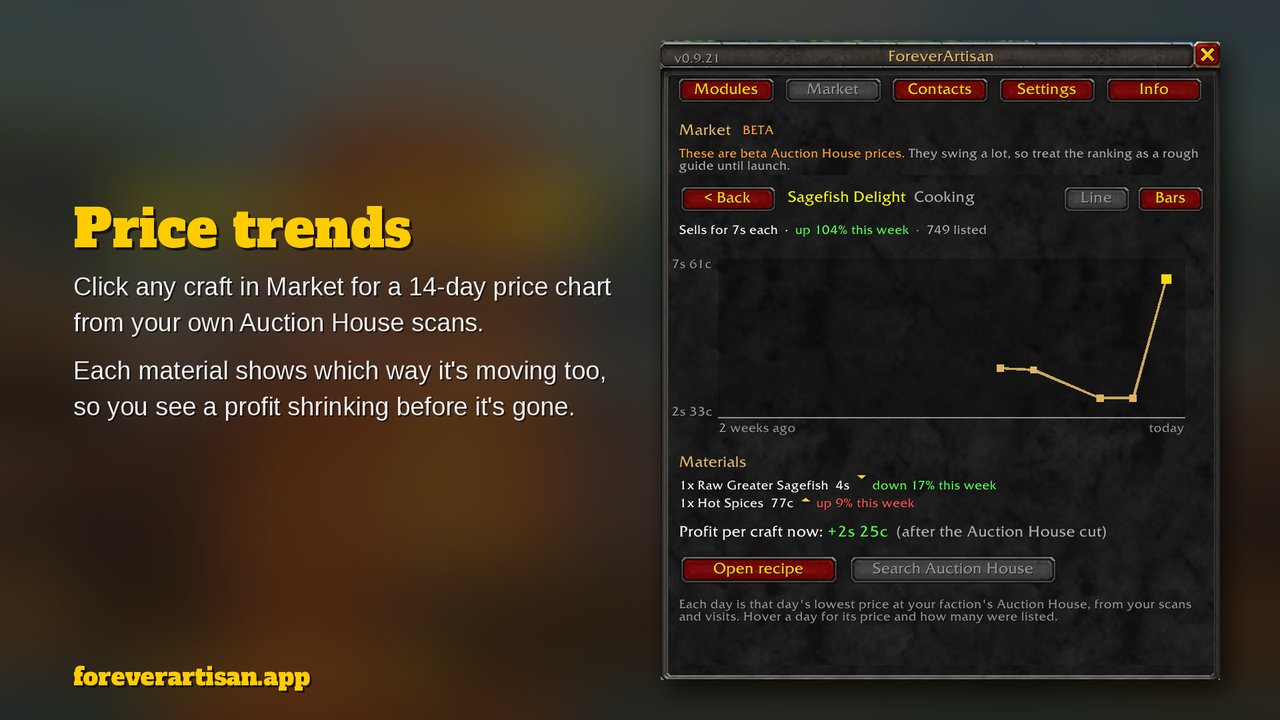
What each window tells you
Every module keeps the same layout, so the answers sit in the same place whether you fish or skin.
What should I do next?
Herbalism lists the herbs that are still orange or yellow for your skill. Skinning shows which mob levels still give skill-ups. Every crafting module ranks the recipes you can make from what's in your bags.
What do I need?
The crafting modules plan every craft from your skill to your target and list each ingredient as have / need, with where to get it: a vendor, your best fishing spot, or the zone where you gathered it.
How far am I?
Each module tracks skill-ups against what you gathered, so it can say "about 2.0 skins per point, 66 points to 225." Goals count your progress and play a sound when you hit them.
Built from where you've been
While ForeverArtisan lists every recipe, where to get each one comes from your own play: the trainers you meet, what you gather, the recipes you find. That's a design choice. Then it uses what you've found to plan the road ahead: what to make next, which trainer to visit, what to buy and what it costs. Want to look further ahead on your journey? Crowdsourced sites have that covered.
Enjoy the journey!
All twelve professions. One addon.
Install Core, then only the professions your character has. Anything you don't need can be switched off in the hub. Every tradeskill is covered, plus Trade Contacts, your address book of trainers and vendors, and Market, your best crafts across every profession.
FishingLive
- One key casts, applies your best lure, and reels in
- Catch log by spot, skill, and lure
- Derby countdown from the in-game calendar
HerbalismLive
- Pick-next list colored for your skill
- Gather log by subzone, including bonus herbs
- Find Herbs reminder after logins and deaths
MiningLive
- Node guide for all 13 Classic node types
- Tracks nodes and ore separately
- Mining Pick and Find Minerals reminders
SkinningLive
- Hover a beast to see the skill it needs
- Log of mobs by name and level
- Level guide with the leather each level drops
CookingLive
- Reads your recipes straight from the Cooking window
- Plan to any skill with a shopping list
- Ingredient tooltips name the recipes that use them
First AidLive
- Reads every bandage, poultice and potion recipe from your First Aid window
- Make now shows what still gives skill-ups, and what you're missing
- Plan to any skill with a cloth and reagent shopping list
AlchemyLive
- Make now shows the potions that still give skill-ups
- Plan to any skill with a herb and vial shopping list
- Herbs you're short on point to where your Herbalism log found them
LeatherworkingLive
- Same window and plan as the other crafting modules
- Cured hides count as crafts: the plan lists the raw hides and Salt
- Leather and hides point to where your Skinning log found them
BlacksmithingNew
- Make now, plan and shopping list, recipe book
- Bars say "smelt ore at a forge"; ore points to your Mining log
- Flags "needs Blacksmith Hammer" before you waste a trip
TailoringNew
- Make now, plan and shopping list, recipe book
- Bolts of cloth count as crafts in the plan
- Recipe book says where to get the ones you don't know
EngineeringNew
- Make now, plan and shopping list, recipe book
- Ore and stone point to your Mining log
- Tools first on the shopping list
EnchantingNew
- Make now, plan and shopping list, recipe book
- Dust and essences say "disenchant green gear"
- Works with both the newer and the classic Enchanting window
Trade ContactsLive
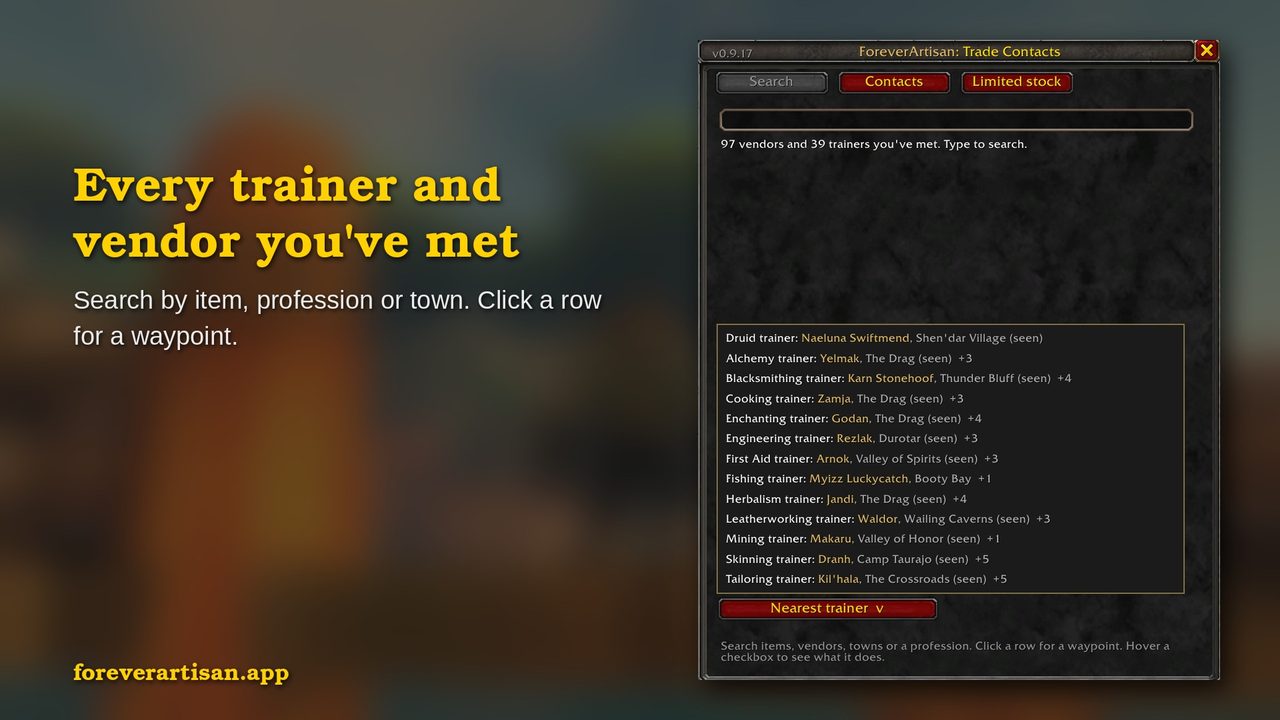
- Every crafting vendor and trainer you talk to is saved: what they sell, prices, limited stock, where they stand
- "Sold by" on item tooltips, and
/fa silk threadto search; click a result for a waypoint - Class trainers too, a Nearest trainer button, and a right-click on the FA minimap button opens it
- Shared by all your characters. Only NPCs you've met
CampingNew
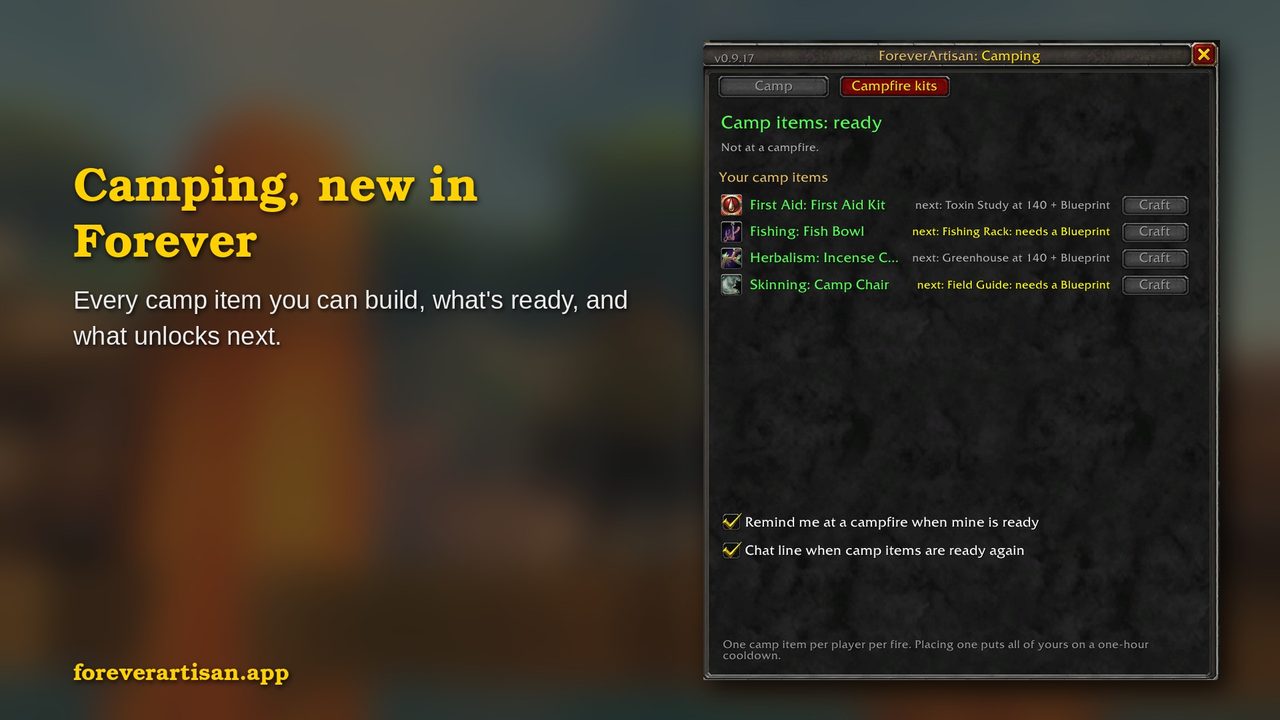
- The camp item each profession can place, and the skill for the next tier
- The one-hour cooldown, with a chat note when it's ready
- Campfire kits: the skill to learn and to light each one
Market
- Every recipe you know, in every profession, in one list ranked by profit
- Click any craft for a 14-day price chart, and see which way its materials are moving
- Arrows show what moved this week, and a goblin tag shows when Booty Bay, Gadgetzan or Everlook pays more
The /fa panel and the minimap button
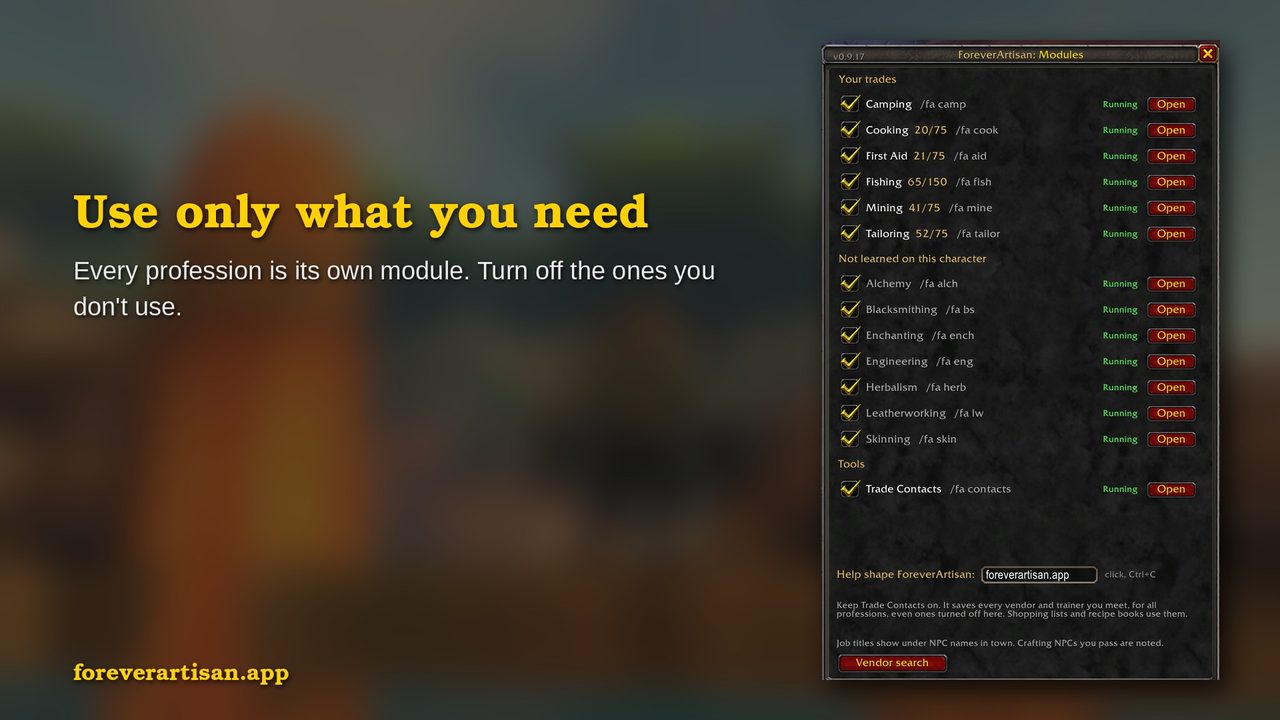
One gold FA button on your minimap: left-click opens the /fa panel, right-click opens Trade Contacts. The panel has tabs for Modules, Market, Contacts, Settings and Info. Every installed module is listed with its command and an Open button, and you can turn one off without leaving the game.
 Left-click: panel. Right-click: Trade Contacts
- Type
/faanywhere to open the panel - Every switch that used to need a typed command is a checkbox on the Settings tab
- The Info tab has the version, the Discord and site links, and what's new in the last three releases
- Turn any module off from the panel without touching your addon list
Plans and shopping lists
Type a target skill, say 225, and any crafting module picks a recipe for each stretch of the climb, estimates how many crafts each one takes, and totals the materials. Recipes you can already make from your bags go first.
Each ingredient on the shopping list names its source: a vendor you've met (from Trade Contacts), your top spot from the Fishing catch log, or your Skinning, Herbalism, or Mining logs.
It also shows what each missing material costs and a total, from Auction House pages you've looked at yourself (no other addon needed). Recipes a trainer you've visited can still teach you are in the plan too, marked "train at 55", with the training cost on the list.
Crafting features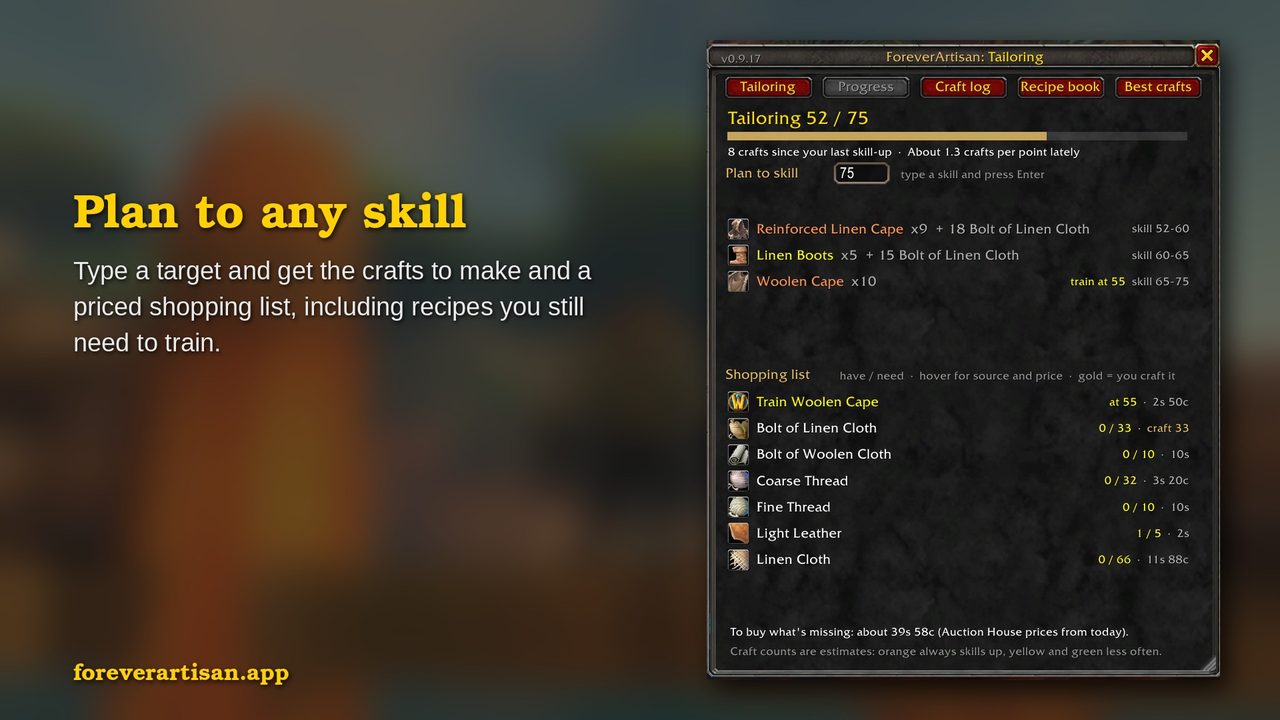
Camping and Trade Contacts
Camping is new in Forever, and ForeverArtisan keeps track of every camp item you can build. Trade Contacts remembers every trainer and vendor you've met, with a waypoint one click away.
Help shape what comes next
All twelve professions are in, and WoW Forever has been live since November 4. From here it's polish and your ideas. I read every bug report and idea that comes in. Screenshots help more than descriptions.